ChargeOver

Billing that already speaks MRR.

Monitoring subscriptions, install invoices, failed-payment recovery, and clean exports when you sell accounts. Flat monthly pricing that doesn't grow with your book. No per-subscriber fees. Ever.

No sales pressure · 30 minutes · We'll tell you honestly if it's a fit.

G2 High Performer, Mid-Market

4.7 on G2 across 67 verified reviews · Billing recurring revenue since 2011 · 50+ payment gateways · Native QuickBooks, Xero & Salesforce

ChargeOver runs recurring alarm and monitoring billing on autopilot Fig. 01
Billing Platform. For Alarm & Security. No per-subscriber fees. Ever.
Fig. 01 · What does a declined card actually cost?
3,000
50025,000
$45
$25$75
Roughly 300 payments fail every month $13,500 in monthly MRR at risk, at 3,000 subscribers

Recover most of it automatically and the difference shows up twice: on this month's deposits, and at 35–50x when you sell the book.

Industry net attrition runs about 10%, and a large share of it starts with a declined card, not a cancellation. ChargeOver retries on a schedule, updates expired cards automatically, and sends escalating reminders with a pay link, so recovery happens before anyone on your team picks up a phone.

Attrition figure: TMA attrition survey. Valuation multiples: alarm account portfolios typically trade at 35–50x monthly MRR for residential multi-year contracts, and buyers discount accounts 60+ days past due by up to 50% in diligence (CT Acquisitions, 2026).

Trusted by 430+ recurring-billing businesses
Acuity Thinkify Paiger Convert It 1-800Accountant Lure Creative
G2 High Performer, Mid-Market G2 Users Most Likely To Recommend G2 Best Support G2 Best Results G2 Best Usability
4.7 / 5 on G2 from 67 verified reviews
The fix

Billing that handles what an alarm company actually sells.

Two things stop being your problem.

01

Failed payments get worked automatically.

About 1 in 10 recurring payments hits a problem every month: expired card, new card, a bank that got cautious. Today somebody on your team calls the customer and keys the payment through. ChargeOver retries on a smart schedule, updates cards automatically, and emails the customer a pay link that takes thirty seconds, so most failures fix themselves before they become attrition.

Automatic retries on your schedule · card auto-updater · escalating reminders with pay links · late fees, your rules
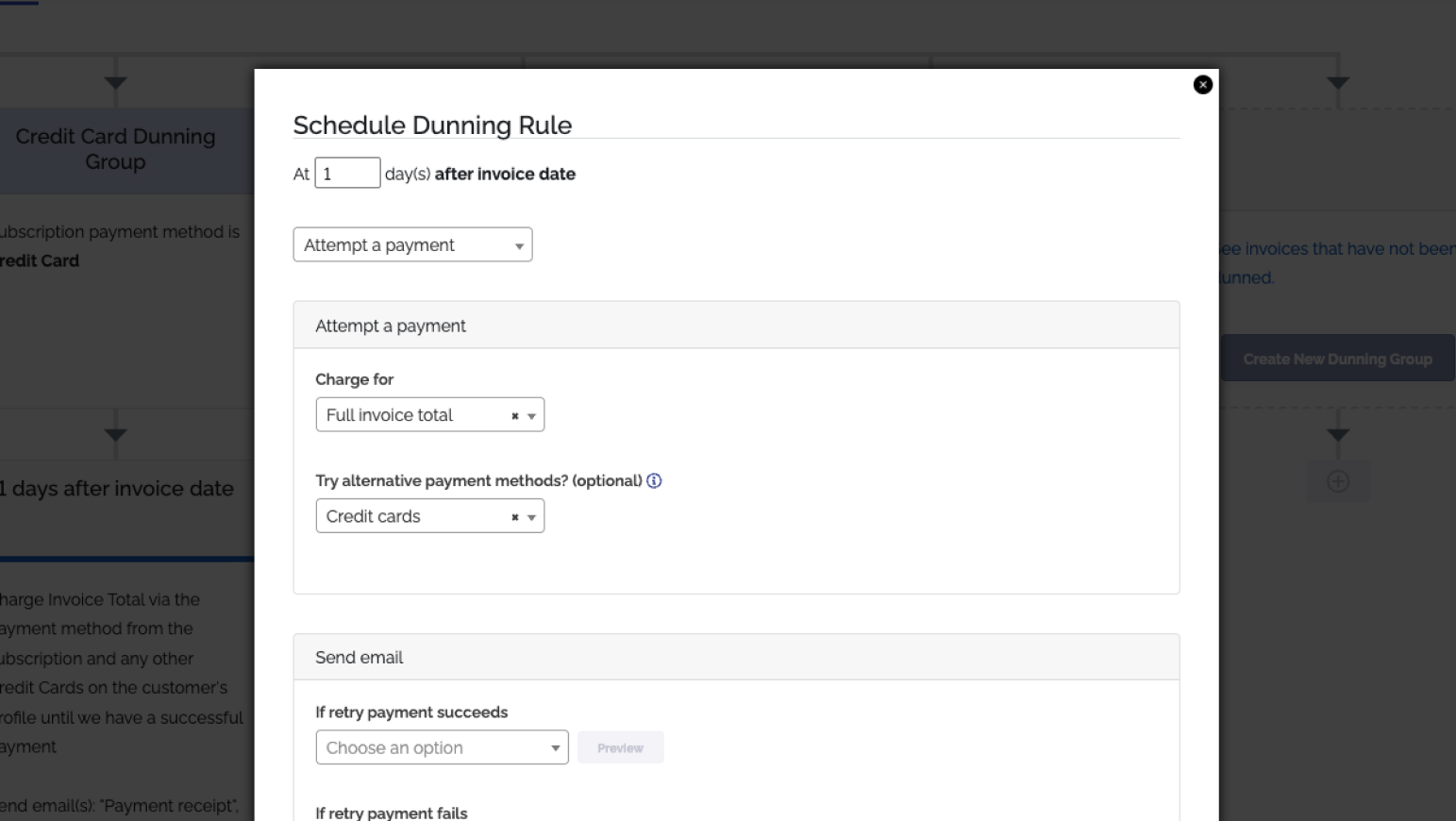
A ChargeOver dunning timeline for one subscriber showing the retry schedule and a recovered payment
Product screenshot
The dunning timeline for one subscriber: retry schedule, auto-sent pay link, and the recovered payment.
02

The panel and the monitoring, on one account.

The install is a one-time invoice. The monitoring is a subscription. Most billing tools make you pick one and improvise the other. ChargeOver puts both on the same customer, so the hardware sale and the recurring monitoring live on one record, sync to one QuickBooks customer, and show one balance.

One-time + recurring on a single account · scheduled price escalations at renewal · proration for mid-cycle adds · common-day billing
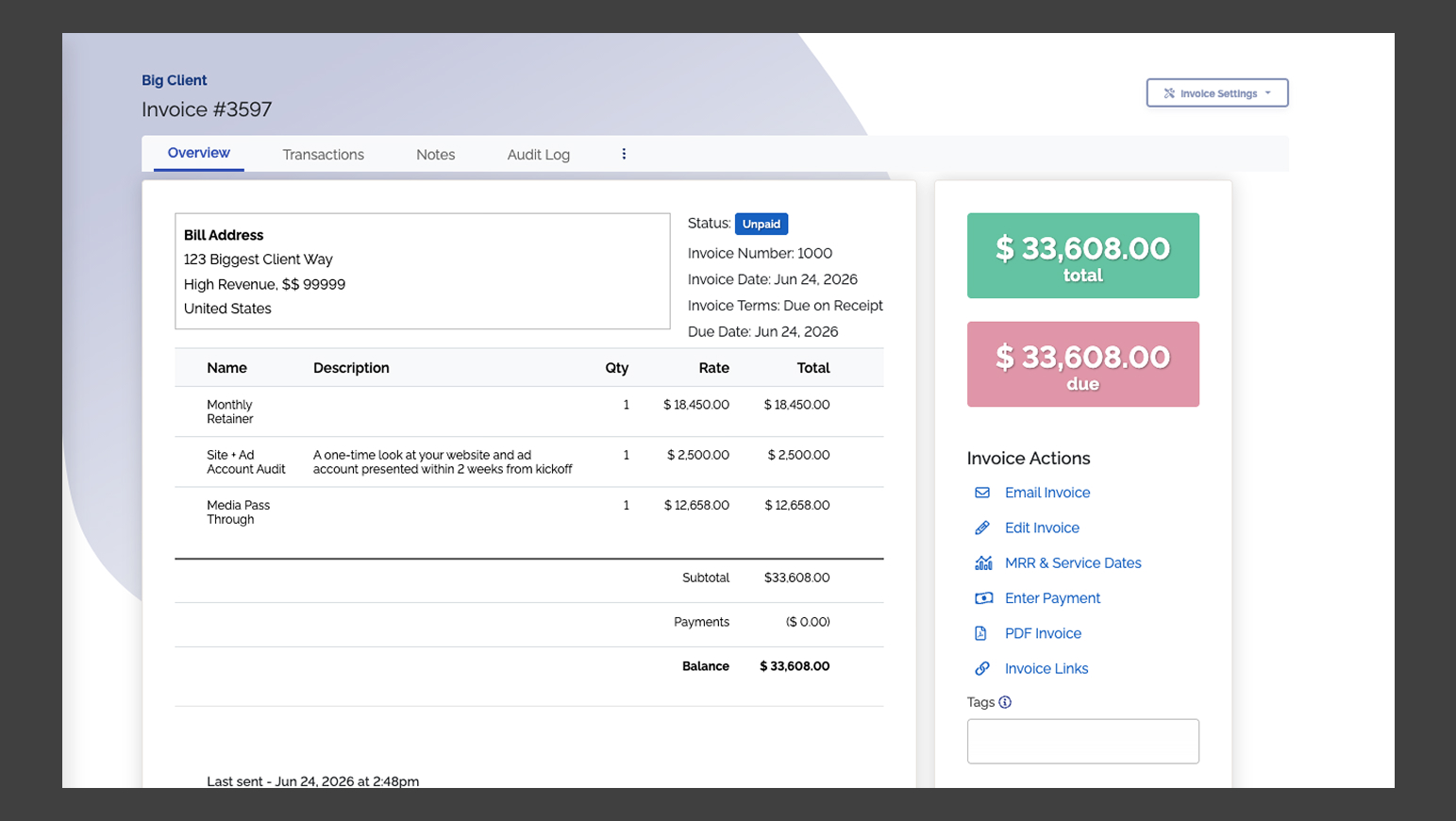
A ChargeOver customer record with a one-time install invoice and an active monitoring subscription together
Product screenshot
One customer record: the install invoice and the active monitoring subscription, on a single balance.
Exhibit A · when you sell accounts, the data leaves cleanly

Portfolio sales run on deadlines you don't set.

ChargeOver exports customers, subscriptions, and payment methods filtered to the active method only, on demand, and imports tokens the same way when you're the buyer. Your customers never get asked to re-enter a card, which means they never get offered the exit.

Payment-method import and export · bulk cancel and write-off for sold accounts · Level 1 PCI, PGP-handled card migrations
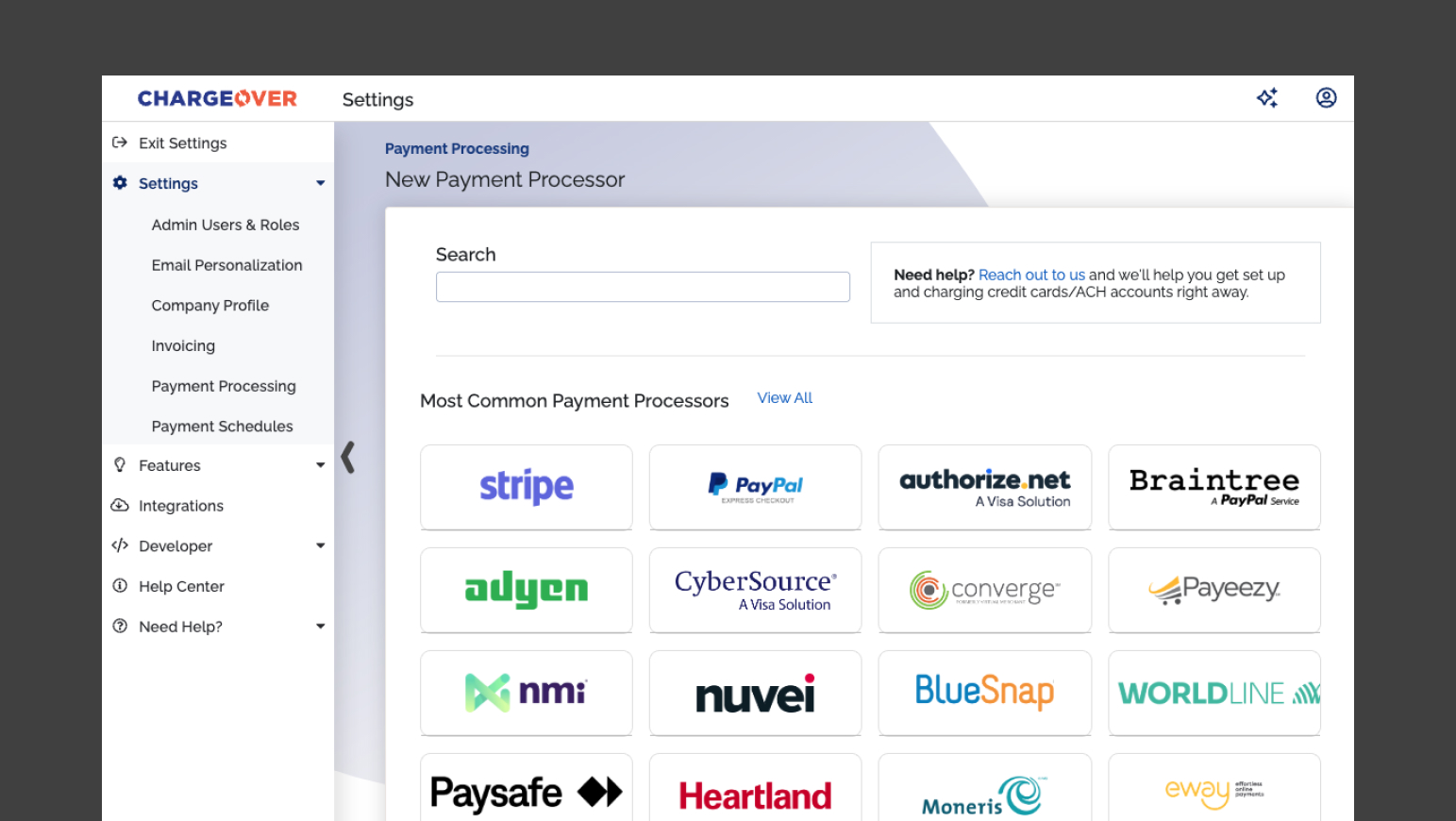
A ChargeOver export dialog for customers, subscriptions and payment methods
Product screenshot
The export tool: customers, subscriptions, and active payment methods, filtered and ready for a portfolio sale.
Fig. 02 · Payment-method export

Two-way QuickBooks Online sync · QuickBooks Desktop supported · 50+ payment gateways · PCI compliant

Book a 30-min walkthrough
The per-subscriber problem

Same software. Twice the bill at twice the book.

2,500accounts · your bill today 5,000double the book · double the bill

Alarm-industry billing platforms price per active customer. Grow your book and your software bill grows with it, though the software didn't do anything new. ChargeOver is flat monthly, so doubling your accounts doesn't double your bill.

Sound familiar?

The book grew. The billing didn't.

The setup that worked at 800 accounts starts leaking at 3,000. And the spreadsheet holding it together has a name nobody says in front of customers.

01

The secret spreadsheet.

Checks, direct deposits, agency payments, and portal submissions, reconciled by hand against QuickBooks. It works until the one person who understands it takes a vacation.

02

Software that charges rent on your growth.

Per-subscriber pricing means your billing vendor gets a raise every time your sales team closes. The bill grows even when the product doesn't.

03

You're one migration away from better, and terrified of it.

Moving billing means moving stored cards. Ask 1,500 customers to re-enter payment info and some of them will take the opportunity to leave. So you stay.

See how ChargeOver fixes all three
Medical alert & PERS

Medical alert and PERS operators: this page is yours too.

You bill three ways at once: the subscriber's card, the adult child paying for a parent, and the agency or waiver program paying for forty participants on one invoice. ChargeOver handles parent-child accounts with the per-name breakdown payers demand before they release payment, plus the one-day-equals-full-month proration this industry actually uses.

Parent-child billing with participant detail · multiple payers per account · scheduled escalations · ACH and card

Book your walkthrough

Let's walk through your setup.

30 minutes. We'll look at how you bill today and tell you honestly whether we fit it.

Let's walk through your setup.

No sales pressure. 45 minutes. We'll show you exactly how ChargeOver works for your billing workflow and tell you honestly if it's a fit.

No spam. No pressure. We'll send a calendar link to your email.
By clicking on Book my Demo, you are indicating that you have read and agreed to the Terms of Service and Privacy Policy.
Thank you! Your submission has been received!
Oops! Something went wrong while submitting the form.
Proof

What changed after switching.

ChargeOver, recognized on G2
"The best part is that they can get payment without us having to hunt down overdue invoices."
Verified User · IT Services
"ChargeOver allows for one-time and subscription invoicing, syncs with QuickBooks Online, and automates late notices to clients."
Chad B. · Founder
"ChargeOver directly links with our accounting systems and payment processors, and is so much faster than market alternatives."
Matt D. · Mid-Market
4.7 / 5 from 67 reviews Read them on G2
By the numbers Flat pricing · billing recurring revenue since 2011
"The best part is that they can get payment without us having to hunt down overdue invoices."

No per-subscriber fee, no percentage of MRR. Here's what actually moves the needle for an alarm book.

1 in 10recurring payments fails in a typical month. Recovery is the product.
35–50xmonthly MRR, what clean books trade for. Past-due accounts get discounted up to 50% in diligence.
$0per-subscriber fees, from a flat-priced platform since 2011.
Coming from another tool?

We've moved alarm companies off every kind of setup.

The pattern is almost always the same: the tool was fine at 800 accounts, and then the book grew past what it could describe. Here's where each one tends to break.

Cornerstone

Solid alarm-industry billing, priced per recurring account, with payments handled by whoever they route you to. You conform to what the product is capable of.

AlarmBiller / SedonaOffice

An ERP first, billing second. SedonaOffice shops are being moved to Managely anyway, so you're migrating either way. The question is the destination.

QuickBooks + spreadsheets

QuickBooks was built for invoices, not for a 5,000-account recurring book. The spreadsheet on top of it is the actual billing system, and it lives in one person's head.

A processor's recurring billing

Authorize.net ARB and its cousins charge the card monthly. They don't retry intelligently, don't chase, don't reconcile, and suspend the subscription when a payment fails.

When we're not the right call

If you need dispatch, truck scheduling, inventory, and work orders in the same system as billing, look at FieldHub or Managely. That's their job. ChargeOver is the billing and payments layer: it runs the recurring book, syncs your accounting, and connects to the rest of your stack through the API. We'd rather tell you that now than in month three.

Migration

What moving 900 accounts actually looks like.

The biggest variable isn't us, it's getting data out of your current system, and legacy alarm platforms don't always make that graceful. We've done this enough to know the exits: report exports, PGP-encrypted card handoffs, and processor-side token transfers so customers never re-enter a card.

Days 1–5 Data prep and extraction from the old system. The long pole, and partly hostage to your vendor's cooperation. We know each one's process. You + us
Day 6 Plan mapping. We rebuild your rate structures, escalations, and billing dates. Together
Days 7–8 Import customers, subscriptions, and payment methods. You approve, we execute. Us
Days 9–10 Dry-run a full billing cycle against the old system's numbers, then cut over on a date you pick, with the old billing switched off so nobody gets charged twice. Go live
No demo required

Not ready to talk to anyone?

Take the MRR attrition calculator. Plug in your subscriber count and average MRR, and see what failed payments cost you monthly and what they cost you at sale time. A spreadsheet you can use whether or not you ever talk to us.

Get the calculator

No demo required. No follow-up sequence unless you ask for one.

Questions alarm operators actually ask

No. Flat monthly pricing based on how many customers you actively bill, starting at $229/month. It doesn't scale with your MRR, and there's no percentage of revenue. Card processing fees go to your gateway, not to us.

Usually, yes. We import tokenized payment methods from your current processor, and for platform switches we handle PGP-encrypted card migrations under Level 1 PCI compliance. Whether your current vendor cooperates is the main variable, and we know most of their processes.

Yes. Export customers, subscriptions, and payment methods on demand, filtered to active payment methods. Bulk cancel and write-off handles the accounts that leave. If you're the buyer, the same machinery runs in reverse.

No. ChargeOver syncs to QuickBooks Desktop as well as Online and Xero. Your accountant keeps their ledger.

Yes. Parent-child accounts put one invoice on the parent with every participant listed on it, which is what waiver programs and facility payers require before releasing payment.

Yes. One-time invoices and recurring subscriptions live on the same customer record and sync to the same QuickBooks customer.

No. We connect to 50+ gateways, and you can run more than one at once.

Typically 7–14 days, and most of that is getting clean data out of your current system.

Flat pricing. No per-subscriber fees. Book a walkthrough