
A customer adds 8 seats mid-month
Handle Mid-cycle Upgrades
A customer adds seats halfway through the month. Pick the product, change the quantity, choose how to prorate, and the math is written on the invoice.
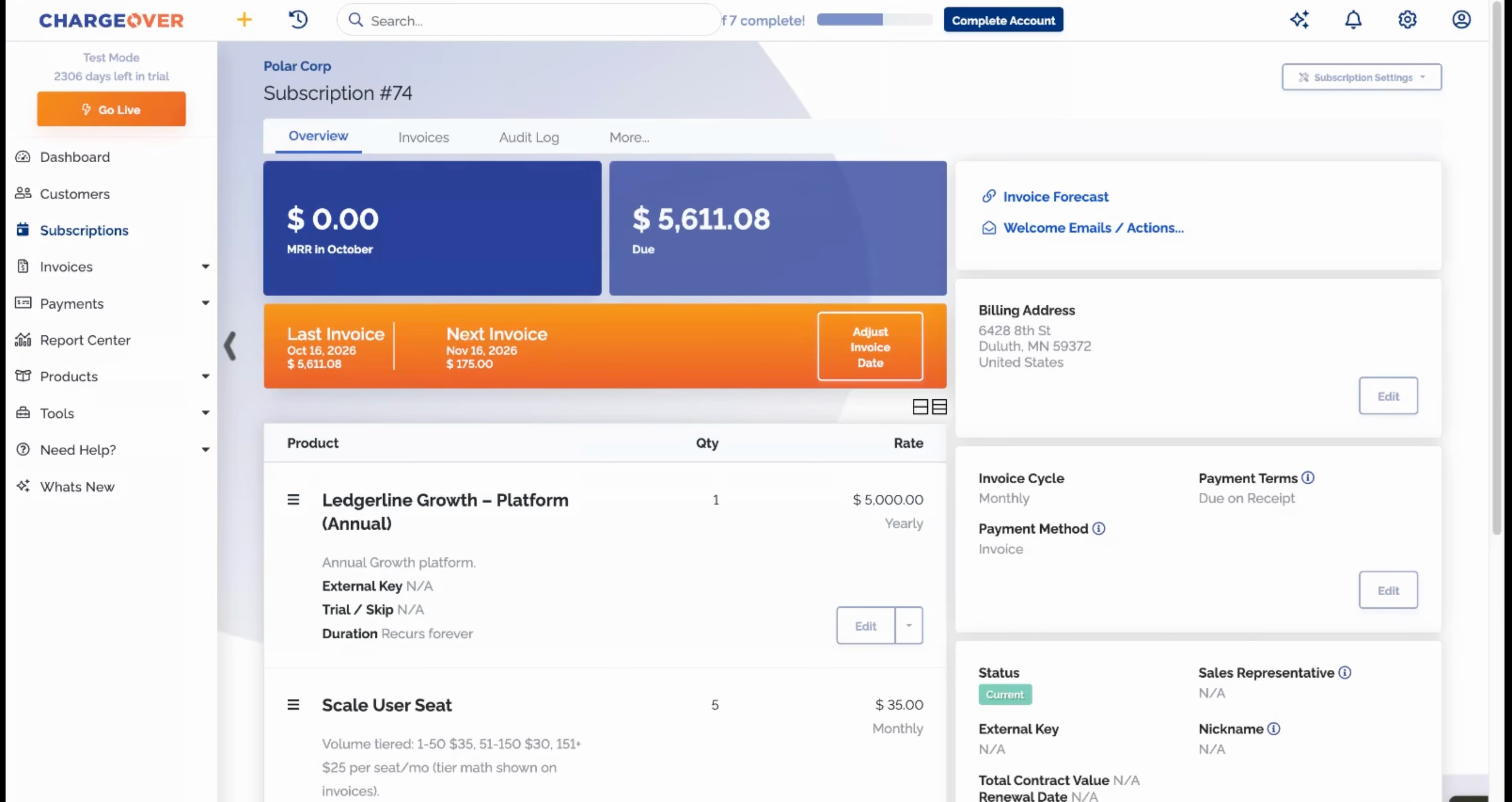
Click through the demo
What's covered in this demo
This walkthrough follows Polar Corp adding seats in the middle of a billing cycle, from the change itself to the prorated invoice the customer receives. Here is what you will see, step by step.
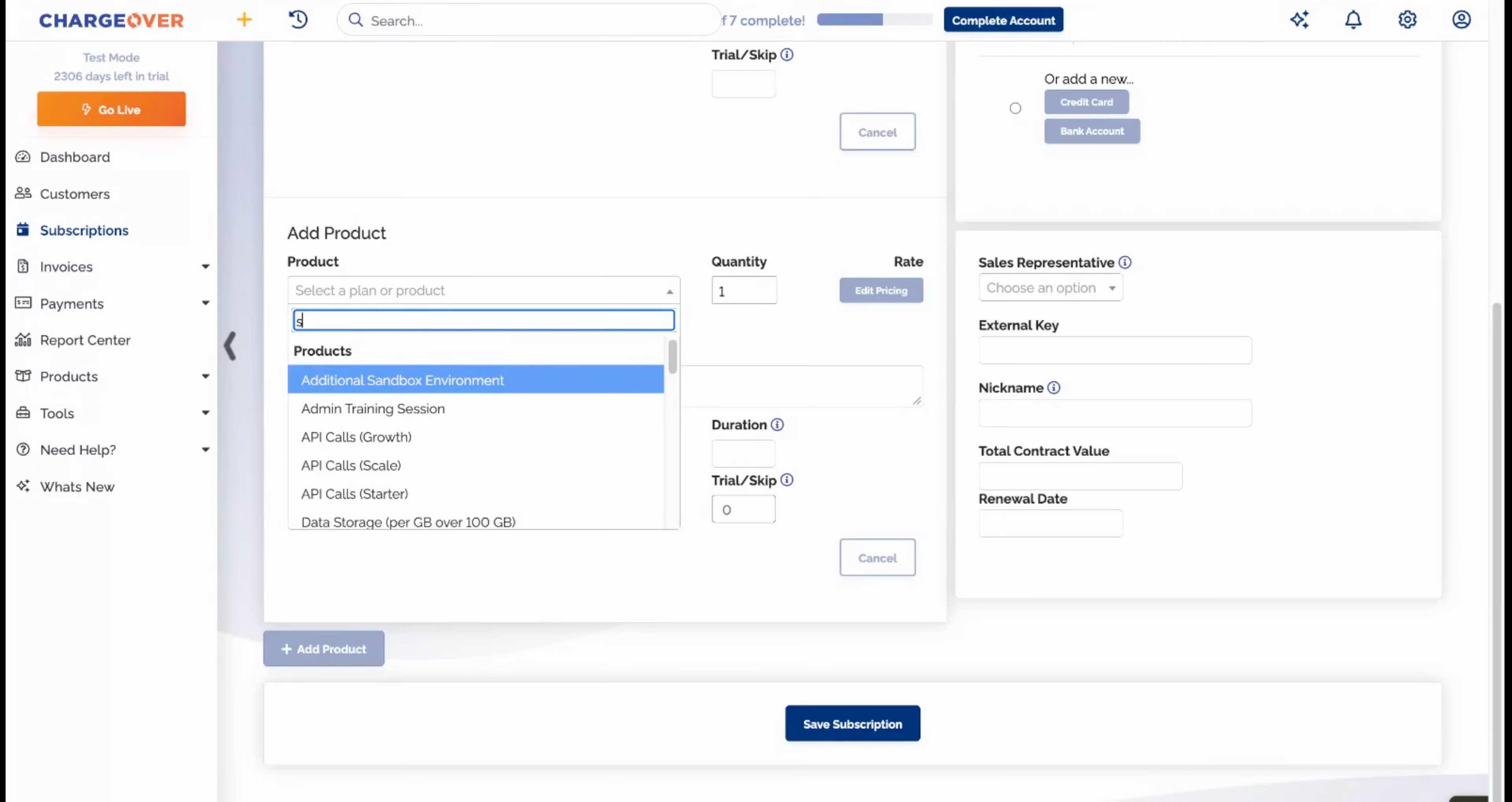
- Open the subscription. Polar Corp wants more seats, mid-month. Pick the seat product and change the quantity.
- Choose how to prorate. Prorate from the exact day the change started, so the customer only pays for what they use.
- Decide when to bill the difference. Bill it now or roll it into the next invoice. It is your call on every change.
- Save and watch the balance update. The subscription updates right away, and the balance now includes the prorated charge.
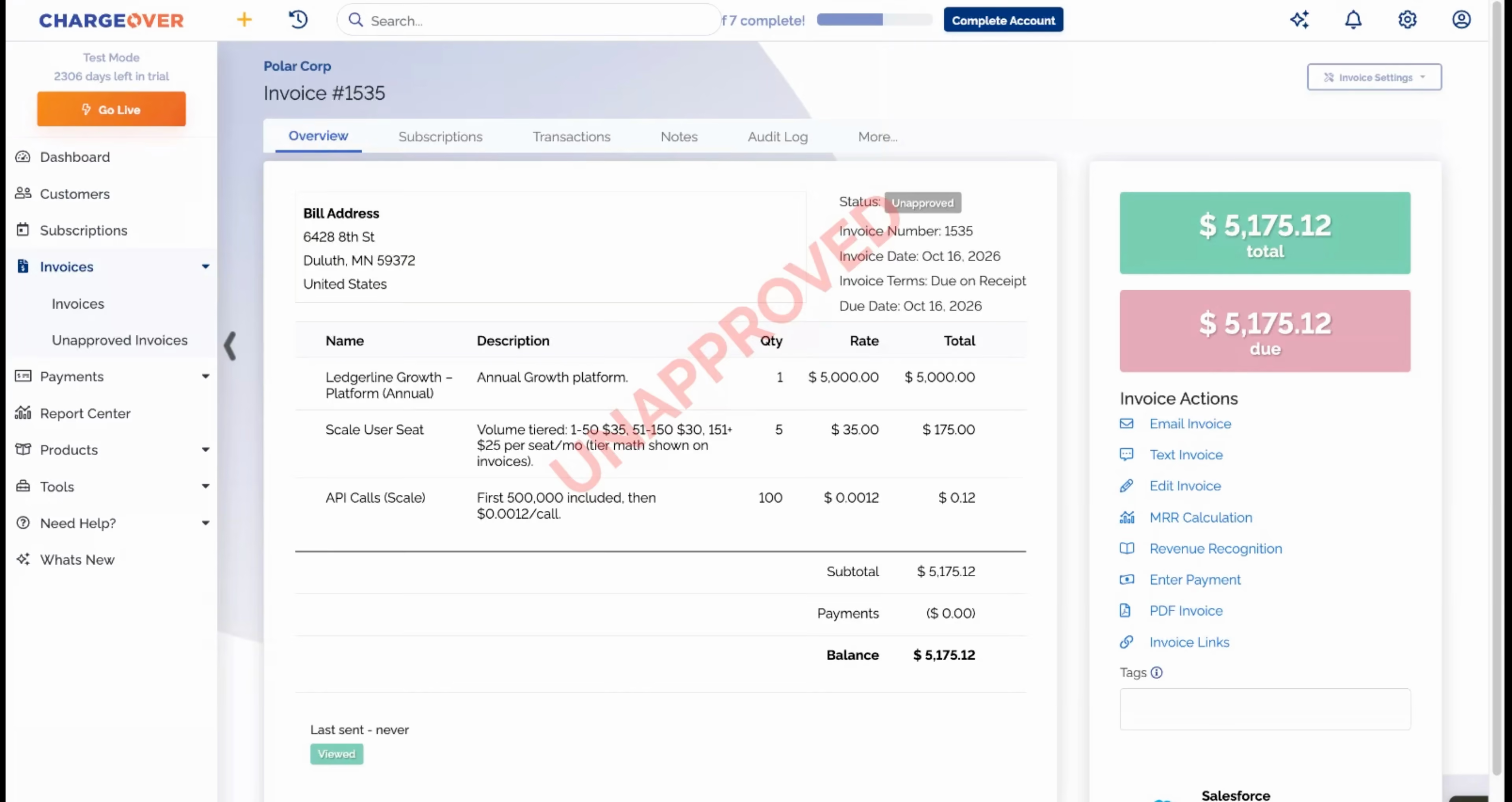
- Review the prorated invoice. The prorated amount, here $88.21, gets its own invoice with the dates and the math written on the line, while the original invoice stays exactly as it was.
No credit memos, no calculator, and no confused customer emailing to ask what the charge is. Upgrades happen when the customer wants them, and the billing explains itself.
Features in this demo
Proration, Subscriptions
Integrations shown
Transcript
Related demos

Unlock Business Growth with Recurring Billing
Discover how ChargeOver’s automated recurring billing helps you streamline payments, reduce manual tasks, and boost cash flow. Let us take the complexity out of billing so you can focus on scaling your business.