
We're stuck with one payment processor
Configure Multiple Payment Processors
Switching billing tools shouldn't mean switching payment processors. Connect Stripe, Authorize.net, Adyen, BlueSnap, and more with the credentials you already have.
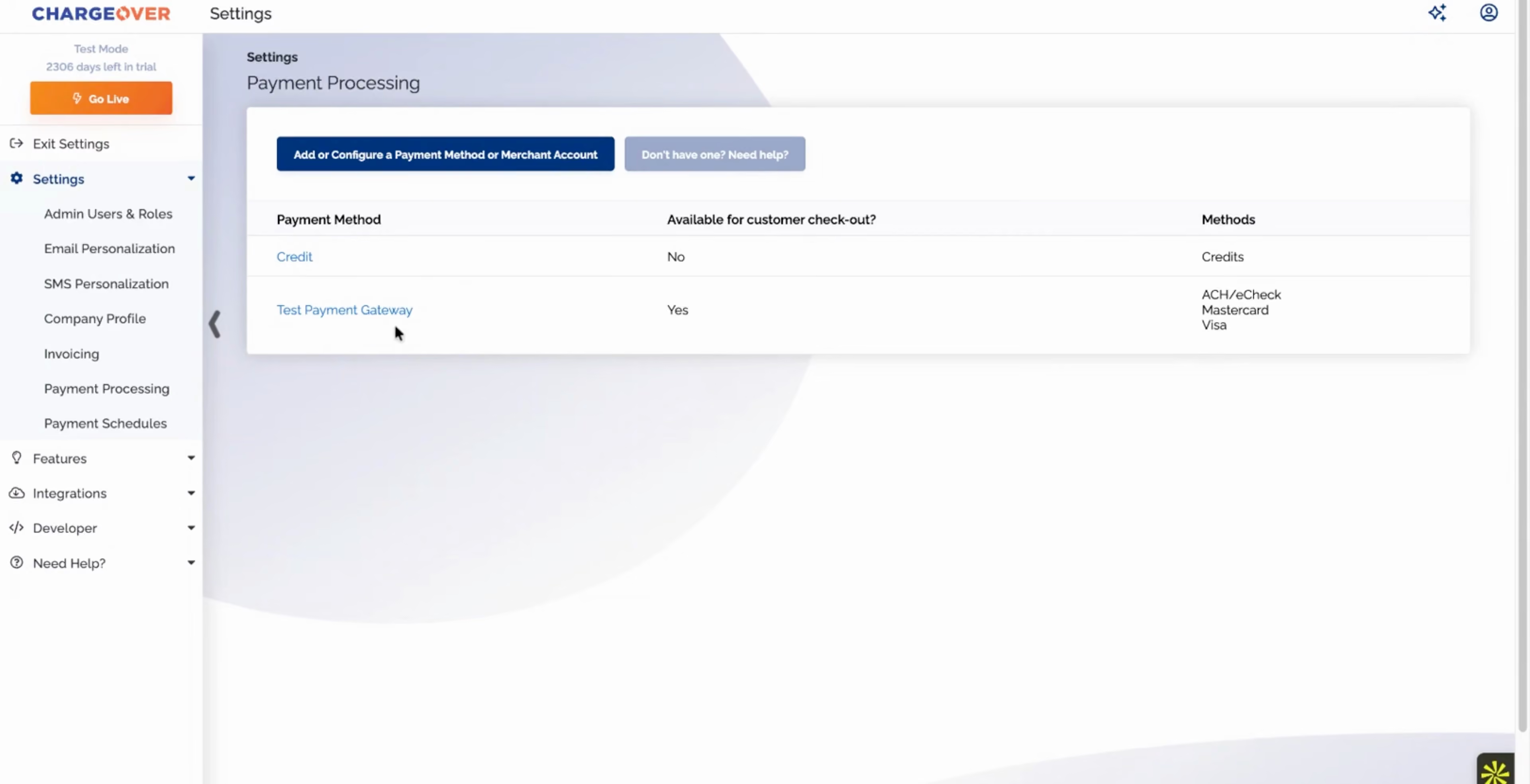
Click through the demo
What's covered in this demo
This walkthrough connects a payment processor to ChargeOver and shows how more than one can run side by side. Here is what you will see, step by step.
- Open payment processing in settings. This is where every processor you use is connected and managed.
- Pick from dozens of processors. Stripe, Authorize.net, Adyen, BlueSnap, and many more are supported out of the box.
- Connect with your existing credentials. Keep the processor relationship and rates you already have. There is nothing to renegotiate.
- Decide what each processor handles. Choose which card types and ACH each one processes, so you can route payments the way you want.
You keep your processor, or add another without being stuck with one, and ChargeOver routes each payment to the right place automatically.
Features in this demo
Gateway-based / transaction routing
Integrations shown
No items found.
Transcript
Related demos
Unlock Business Growth with Recurring Billing
Discover how ChargeOver’s automated recurring billing helps you streamline payments, reduce manual tasks, and boost cash flow. Let us take the complexity out of billing so you can focus on scaling your business.